Channel
Featured Videos
I enjoy creating content, and I use teaching as a medium for me to learn new concepts. So I put effort in creating them for different medias, some content just works better in video. Check the channel and subscribe for more on YouTube.

SolidStart Roadmap: DeVinxi and beyond
Chapters ======= 00:00 Anomaly sponsorship 00:30 Team adjustments: Core and Fellowships 01:00 Roadmap for DeVinxi 01:12 Release plans: alpha, beta, stable 02:03 Next features and improvements 02:32 What happens after DeVinxi?

Create your own AI Agent (with RAG) from SCRATCH
💡Agentic #RAG refers to an AI system that doesn't just passively retrieve and use information. It actively reasons about what information it needs and strategically searches for it. It's like giving an AI assistant the ability to "think" about what information it needs to solve a problem and then actively seek it out within an expanded context provided by your own data. I'll teach you how to beat everyone in your Fantasy League 🏈 Chapters ========= 00:00 - Intro 01:01 - Data gathering with Python 08:42 - Loading data into the database 10:08 - Creating a plain RAG 12:22 - RAG Demo 13:18 - Building an Agent AI 14:20 - Chatting with our Agent (demo) 15:30 - Final thoughts

What does AI really mean?
💡 Artificial Intelligence leverages technologies like vector databases, language models, and embedding techniques to create increasingly sophisticated systems for understanding, generating, and retrieving information. Offering feedback in a very human-like output. Let's pop the hood on these concepts and understand the moving pieces that connect to make AI really a thing. Chapters ========= 00:00 - Intro 00:58 - What is a Vector Database ? 02:56 - Definition of Similarity Search 03:08 - Systems of similarity search 04:30 - Language Models: Large and Small 07:57 - Fine-Tuning LLM 10:11 - RAG: Retrieve-Augmented Generation 12:43 - Embedding 14:14 - Recap / Overview

Social logins in SolidStart with Single Sign-On (SSO)
💡 Single Sign-On (SSO) is a method that allows a user to log in to multiple applications or services with a single set of login credentials. In this video we are going to implement SSO with MediaKit Auth and protect a few routes with it. Chapters ========= 00:00 - Intro 00:17 - What is Single Sign-On 00:37 - Today's stack 🍲 01:09 - Code walkthrough 01:42 - SessionProvider context 02:16 - Auth options 03:17 - Catchall API route 04:00 - Setup GitHub OAuth App 05:49 - environment variables setup 06:41 - Root route and Login 07:43 - Login demo 08:10 - Protect routes manually 09:17 - Logout button / terminate session 09:43 - $protected helper and plugin 11:35 - List of available providers from the package

Multi-threaded SolidStart with Web-Workers
💡 Web-Workers enable programs to run heavy computations, data processing, or file handling without blocking the user interface. Ensuring that web applications remain responsive and smooth. Because they run on a separate thread (worker thread), they have no access to DOM APIs and can also be used as a safer alternative to run 3rd party code, even if it does not have demanding memory usage. Chapters: ======== 00:00 Single-threads by default 00:41 Promises in single-thread 01:17 Multi-threads with Web-Workers 02:09 Vite setup 02:43 Writing the tasks 03:34 The components 04:50 Run the Sync task 05:16 Run Async task 06:10 Create a Web-Worker 07:05 Add Web-Worker to click handler 07:47 Performance benchmarks 08:52 Final thoughts: security

E-mail verification flow, end-to-end with Node.js
💡 Verifying that address through a confirmation process serves multiple critical purposes: 1️⃣ it ensures the user has provided a valid, working email address they actually own (which is essential for account recovery and communications) 2️⃣ helps prevent spam and automated bot registrations 3️⃣ enhances security by adding an authentication layer reduces the creation of fraudulent accounts 4️⃣ helps maintain data quality in the user database. Let's see how to add an email verification process from end-to-end. Database schema, Email Service Provider, and user submission UI Chapters ========= 00:00 - Intro 00:28 - Tasks breakdown 00:56 - Codebase walkthrough 01:25 - Database Schema 02:11 - Database helper functions 03:13 - Token generation 04:00 - Send the email 05:38 - Create emails with SolidJS 06:36 - The form to submit user data 08:15 - Demo for outbound email 08:41 - Token verification route 09:48 - See you on the next one! 👋

Implement OTP (One-Time Password) verification with Node.js
💡 OTP is a type of 2FA (two-factor authentication ) method that requires users to enter a unique, randomly generated code to access their account. This code is typically valid for a short period of time and is generated either by an app on the user's device or sent to the user via SMS or email. 🔐 OTPs help prevent unauthorized access to accounts, even if the login credentials are compromised, making it an effective security measure for online services and applications. Chapters ========= 00:00 - What are OTPs? 00:50 - TOTP vs OTP 01:12 - Stack and Code walkthrough 02:06 - Database Schemas 04:01 - OTP generation 05:45 - Insert the OTP to the database 07:14 - Check the OTP input 08:04 - E-mailing the OTP 09:19 - UI -OTP input field 10:14 - Adding a ClientOnly app to SolidStart 10:54 - Verify OTP Server Action 11:15 - Controlling form submission 14:02 - Demo, receiving the OTP and testing it

Implementing Auth from scratch - no dependencies!
💡 "Auth" is a double-abbreviation, it's used to refer to both Authentication (verifying who someone is) and Authorization (determining what they're allowed to do or access). Today we will look at how to implement an Auth system, from managing sessions, registering and logging users in, and of course: security! We'll protect the data and make sure users can only access what we want them to regardless of which route they are: a much better constraint to work with than simply protecting specific routes. Chapters ========= 00:00 - Intro 00:38 - Protecting Data x Protecting Routes 01:16 - Codebase walkthrough 02:00 - CSRF Protection with a Middleware 05:32 - Setup the Database and data schema 06:56 - Database actions: Login, Registration, Get users, ... 08:49 - Auth DB Actions 10:13 - Auth Session Management 11:06 - Auth User Actions 12:28 - Revalidating actions with demo 13:10 - Layout Route Component 14:12 - Login / Logout button 15:25 - Login/Register form [No-JS support] 17:46 - Protected Views and `deferStream` 18:40 - Public Route with User Data 19:30 - We're done!

All you need to add optimistic UI to your project!
Optimistic updates are a technique used to improve the perceived responsiveness of an application. E.g.: When a user performs an action (like submitting a form) the interface immediately updates to reflect the expected result, without waiting for confirmation from the server. This gives users instant feedback and a smoother experience. If the server request fails, the interface can then revert to its previous state. Chapters ========= 00:00 - What are Optimistic Updates 00:20 - Intro: useSubmission / useSubmissions 00:40 - Codebase 01:10 - Creating a form submission action 02:04 - Page component: useSubmission 02:16 - HTML form and using the action 02:28 - Pending UI state 02:56 - Control flow, error and optimistic states 03:49 - First demo useSubmission() 04:55 - Filter callback function 05:39 - Multiple submissions: the useSubmissions method 07:00 - Demo useSubmissions 07:28 - Filter on useSubmissions 07:55 - Q&A and links

Realtime data with WebSockets on SolidStart
Building a live chat app with #SolidStart and #websockets WebSockets provide a persistent, bidirectional communication channel between a client and server, enabling real-time data exchange without the need for repeated HTTP requests. Chapters: ======== 00:00 Intro 00:48 What are we're going to do 1:26 Finished app and the codebase 1:58 Quick demo 2:19 Configure app build (app.config.ts) 3:39 WebSocket Server 9:08 Creating the route and calling adding the ClientOnly component 10:12 Creating the WebSocket client with Solid primitives 13:05 Adding the JSX to render the UI 14:40 Final demo/test 15:20 Q&A: send me your questions 📖 Official documentation: https://docs.solidjs.com/solid-start/advanced/websocket

SolidHack 2024 - Money Prizes for Building with Solid
SolidHack 2024 - Money Prizes for Building with Solid check the rules at https://hack.solidjs.com find us at: discord.gg/solidjs

ViteConf 2024 - Taurify
My talk at ViteConf [https://viteconf.org] will introduce you to an awesome service that allows people to create Tauri apps from any web app. Learn more and join the waiting list: https://taurify.app --- ViteConf is a free remote conference. Make sure to get registered!

Getting my Tauri app ready for distribution
In the past streams we did some nice progress, but the UX need some love. I need to get this done and booking the live makes me accountable. - Bulk selection - Delete multiple directories - Update count after deleting - Cool pending state - Update icons/logo

Does DX help improving UX or gets in the way?
Turn your videos into live streams with Restream https://restre.am/ANIm Many developers enjoy getting hooked up in technical details and quality-of-life improvements. Getting productive is nice, a smooth developer environment is always good to have. But does focusing on such things take us away from our end-users? How do we balance Developer Experience and User Experience? And, when building libraries and tooling, if our users are developers: where's the balance on helping them and their users?

SolidStart calls for you!
With SolidStart approaching stability, every tool, project, and open-source project needs a new starter, template, or guide! Now it's the time to get your OSS contributions, learn something new, and empower this amazing and welcoming ecosystem!!! Chapters ======= 00:00 Intro 00:15 An opportunity 00:59 The gist of what we're going to do here 1:15 Create a new project with Solid starter CLI 2:28 Walkthrough the starter template structure fresh out of the box 2:43 The Router and the Root of your SolidStart app 3:15 Create a library to handle external requests and integrations 3:37 Caching data 4:15 Create a generic data function 5:29 Preload data before navigating into pages 6:34 Combine Show with the router's Suspense 7:18 Handling errors in our fetch request 7:55 Adding an ErrorBoundary to your app's root 8:30 Creating an ErrorHandler component and passing the correct status code 9:55 Going an extra mile with better UI Components 10:40 Kobalte 11:05 Corvu 11:29 Ark-UI and Park-UI 11:49 Solid-UI 12:33 Maximize your content and contributions 12:55 Solid Resources 13:25 The moment you subscribe 👍
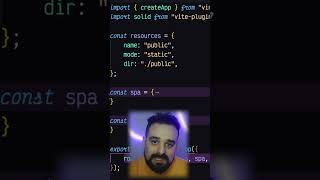
Explain Vinxi like I'm 5 #solid #shorts
SolidStart just reached beta and its most important dependency is Vinxi. SolidStart docs: https://start.solidjs.com/getting-started/what-is-solidstart Vinxi repository: https://github.com/nksaraf/vinxi

Tauri and Solid make mobile and desktop apps
Tauri v2 is almost stable, combining Tauri and Solid we can now ship native apps in MacOS, Windows, Linux, Android, and iOS. One codebase! Plus, all together at once with Hot Module Replacement 🤯 Chapters: ======== 00:00 - Tauri v2 00:30 - What's Quantum ? 01:00 - Create a new project from Quantum 01:45 - Initialize iOS development setup 02:08 - Initialize Android development setup 02:20 - Project tour, VSCode 02:50 - Run dev server for iOS 03:20 - Run dev server for Android 04:00 - Run dev server for Desktop 04:10 - Hot Module Replacement on all development servers together 04:40 - Final thoughts Links: - Livestream with Ryan Carniato: https://www.youtube.com/watch?v=yLjqh6dKdBc - Quantum template project: https://github.com/atilafassina/quantum

CrabNebula DevTools - Update Solid-Router
Turn your videos into live streams with Restream https://restre.am/ANIm Solid-Router 0.10 was released last week and with brought a bunch of breaking changes and extra features. Let's go into DevTools code and update everything. Maybe we can find some nice opportunities to use new tricks!

Solid Nested Reactivity with Stores
You started using Solid, you're getting good at Control Flow, how the Signals and the Observer Pattern work. But then you hear something about "nested reactivity" and how that can hurt your rendering performance. Let's have a look at what that is and how Stores can make all headaches go away! Chapters ======= 00:00 - Intro 00:25 - Todo Lists with Signals vs Stores 01:20 - Checking first renders 01:40 - Updating todos with Signals and For component 02:15 - Update todo list with Stores 02:50 - How stores work under the hood 04:16 - What is "nested reactivity" 04:32 - When a bunch of data comes in together 05:15 - Reconcile method from solid stores 06:20 - Stores are really powerful! 06:34 - Final thoughts and considerations

AMA + Work: Solid docs w/ SolidStart
Let's work on the navigation structure of the new Solid docs. It's an up-to-date SolidStart app.

Forget about memo with this
Since React-Forget became a thing, there's a bunch of talk about “fine-grained MEMOIZATION” and the performance benefits of memoizing your rendered JSX. To the point that memoization techniques have been compared to Fine-Grained Reactivity, but those two concepts should not be part of the same conversation. Chapters ======= 00:00 - Intro 1:09 - Memoization concept 1:30 - Concept of Fine-Grained Reactivity 1:49 - React code without memoization 2:41 - Testing re-renders 3:05 - Bringing Memo to our React components 3:24 - Side-note on React-Forget 3:40 - Testing re-renders post-Memoization 4:28 - Solid version 5:22 - Testing re-renders 5:40 - Thanks to Signals 6:20 - Final thoughts and wrap